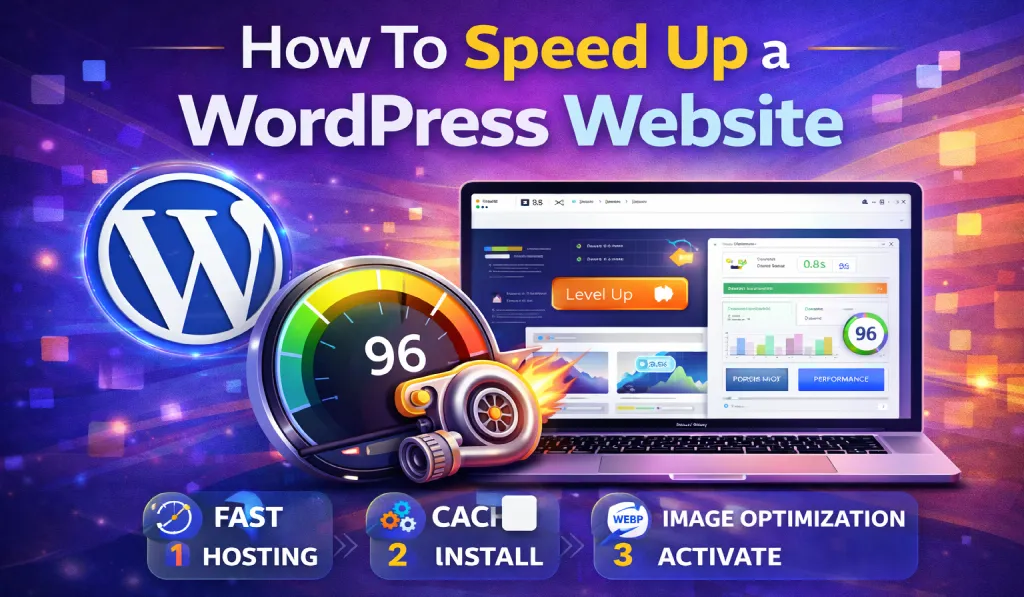
Website Speed Isn’t Just A Technical Detail Anymore—it’s A Critical Part Of Both SEO And User Experience. If Your WordPress Website Takes Too Long To Load, Visitors Won’t Stick Around. They’ll Leave, Your Bounce Rate Will Climb, And Your Chances Of Ranking Well On Google Will Drop.
In Fact, Research Shows That Nearly 40% Of Users Abandon A Website If It Takes More Than Three Seconds To Load. That Means Even A Beautifully Designed Website Can Struggle If Performance Is Poor.
The Good News Is That WordPress Is Incredibly Flexible, And There Are Plenty Of Practical Ways To Make Your Website Faster.
In This Guide, We’ll Walk Through Simple But Effective Methods To Speed Up A WordPress Website. From Choosing The Right Hosting To Optimizing Images And Using Caching Plugins, You’ll Learn The Techniques Professionals Use To Improve Site Performance.
Whether You’re A Blogger, Freelancer, Developer, Or Running An Online Business, These Strategies Will Help You Build A Faster And More Seo-friendly Website.
- 1 Why WordPress Website Speed Matters
- 2 Common Reasons Why WordPress Websites Become Slow
- 3 1. Choose a Fast and Reliable Hosting Provider
- 4 2. Use a Lightweight WordPress Theme
- 5 3. Install a WordPress Caching Plugin
- 6 4. Optimize Images Before Uploading
- 7 5. Use a Content Delivery Network (CDN)
- 8 6. Minify CSS, JavaScript, and HTML
- 9 7. Limit the Number of Plugins
- 10 8. Optimize Your WordPress Database
- 11 9. Enable Lazy Loading
- 12 10. Keep WordPress, Themes, and Plugins Updated
- 13 11. Use the Latest PHP Version
- 14 12. Reduce External Scripts
- 15 Tools To Test WordPress Website Speed
- 16 Real-World Example of WordPress Speed Optimization
- 17 Conclusion
- 18 FAQ: How to Speed Up a WordPress Website
Why WordPress Website Speed Matters
Before jumping into optimization techniques, it’s important to understand why website speed plays such a big role in online success.
1. Speed Is a Google Ranking Factor
Google has clearly stated that page speed is a ranking signal. Faster websites tend to perform better in search results because they offer a better experience for users.
If two websites provide similar content, the faster one often wins.
2. Better User Experience
Think about your own browsing habits. If a site takes too long to load, you probably close the tab and move on.
Your visitors behave the same way.
A fast website feels smooth, responsive, and professional. Pages load quickly, navigation feels effortless, and users are more likely to stay longer.
3. Higher Conversion Rates
Speed directly impacts revenue—especially for eCommerce websites.
For example, if a product page loads instantly, customers are more likely to continue browsing and eventually make a purchase. But if the site feels slow or laggy, many users simply leave before completing the checkout process.
Even a one-second improvement in loading time can noticeably increase conversions.
4. Lower Bounce Rate
When pages load quickly, visitors are more likely to explore additional content. They read more articles, click through multiple pages, and spend more time on your website.
This not only improves engagement but also sends positive signals to search engines.
Common Reasons Why WordPress Websites Become Slow
Many beginners unknowingly create slow websites without realizing it.
Some of the most common causes include:
- Cheap or overloaded web hosting
- Heavy or poorly coded WordPress themes
- Too many plugins installed
- Large images that aren’t optimized
- No caching system
- An unoptimized database
- Lack of a Content Delivery Network (CDN)
The key to WordPress performance optimization is identifying these bottlenecks and fixing them one by one.
1. Choose a Fast and Reliable Hosting Provider
Your hosting provider is the foundation of your website’s performance.
If your server is slow, no amount of optimization will fully solve the problem.
When choosing hosting for WordPress, look for features like:
- SSD storage
- LiteSpeed or NGINX servers
- Built-in caching
- High uptime
- Modern PHP support
Useful Hosting Features
The best WordPress hosts also offer:
- Free CDN integration
- Object caching
- Automatic backups
- Server-level performance optimization
Some hosting companies that many developers trust include:
- SiteGround
- Cloudways
- Kinsta
- Hostinger
Simply upgrading to a better hosting provider can improve website speed by 40–60%.
2. Use a Lightweight WordPress Theme
Your theme has a major impact on performance.
Some multipurpose themes include dozens of built-in features, animations, sliders, and page builders. While they look impressive, they often come with heavy scripts that slow down your site.
Instead, choose a lightweight and performance-optimized theme.
Fast WordPress Themes
Some excellent options include:
- Astra
- GeneratePress
- Kadence
- Divi
These themes are built with clean code and minimal bloat.
For example, Astra loads in under 50KB, which is extremely lightweight compared to many traditional themes.
Try to avoid themes that rely heavily on:
- Excessive animations
- Large demo imports
- Multiple built-in sliders
Simple themes almost always perform better.
Download GeneratePress From GiTCLAB
(License-Activated)
✔ Latest Version Available ✔ Regular Updates
✔ 100% GPL Licensed (Not Nulled) ✔ Instant Download
Download GeneratePress Theme Now3. Install a WordPress Caching Plugin
Caching is one of the easiest and most effective ways to speed up a WordPress website.
Normally, WordPress generates pages dynamically every time someone visits your site. That process takes time.
A caching plugin solves this by creating a static version of your pages, allowing them to load instantly.
Popular WordPress Caching Plugins
Some reliable options include:
- WP Rocket
- LiteSpeed Cache
- W3 Total Cache
- WP Super Cache
Many beginners prefer WP Rocket because it works well right out of the box.
Common caching features include:
- Page caching
- Browser caching
- GZIP compression
- File optimization
After enabling caching, many websites experience 2–3x faster loading speeds.
4. Optimize Images Before Uploading
Images are often the largest files on a website, and unoptimized images can slow your site dramatically.
Fortunately, image optimization is simple.
Best Practices for Image Optimization
- Compress images before uploading
- Use modern formats like WebP
- Resize images to appropriate dimensions
- Enable lazy loading
Image Optimization Plugins
Some useful plugins include:
- ShortPixel
- Smush
- Imagify
- Optimole
Switching to WebP format alone can reduce image size by 30–70% without noticeable quality loss.
5. Use a Content Delivery Network (CDN)
A Content Delivery Network (CDN) helps your website load faster for visitors around the world.
Instead of serving your website from a single server, a CDN stores copies of your site on multiple servers across different locations.
When someone visits your website, the CDN delivers content from the nearest server, reducing loading time.
Popular CDN Services
Some widely used CDN providers include:
- Cloudflare
- BunnyCDN
- StackPath
- KeyCDN
Benefits of Using a CDN
A CDN can provide several advantages:
- Faster global loading times
- Reduced server load
- Improved security
- Better uptime
For beginners, Cloudflare’s free plan is an excellent starting point.
6. Minify CSS, JavaScript, and HTML
Your website contains many files such as:
- CSS
- JavaScript
- HTML
These files often include unnecessary spaces, comments, and characters that increase file size.
Minification removes this extra code, making files smaller and faster to load.
Plugins That Help with Minification
You can easily enable minification using tools like:
- Autoptimize
- WP Rocket
- LiteSpeed Cache
- Fast Velocity Minify
Minifying files can reduce their size by 10–30%, which helps improve loading speed.
7. Limit the Number of Plugins
WordPress plugins add useful features, but installing too many can slow down your site.
Each plugin adds additional code and server requests.
Smart Plugin Management Tips
- Install only the plugins you truly need
- Delete unused plugins
- Avoid duplicate functionality
- Choose well-coded plugins from trusted developers
Sometimes it’s better to use one powerful plugin instead of several smaller ones doing similar tasks.
Remember: quality matters more than quantity.
8. Optimize Your WordPress Database
Over time, your WordPress database collects unnecessary data like:
- Post revisions
- Spam comments
- Temporary data (transients)
- Deleted content in trash
Cleaning this data keeps your database lean and efficient.
Database Optimization Plugins
Helpful tools include:
- WP-Optimize
- Advanced Database Cleaner
A good habit is to optimize your database every 2–4 weeks.
9. Enable Lazy Loading
Lazy loading ensures that images and videos load only when users scroll down to them.
Instead of loading everything at once, the page loads gradually.
Benefits of Lazy Loading
- Faster initial page load
- Reduced bandwidth usage
- Better overall performance
Most modern caching plugins include lazy loading by default.
10. Keep WordPress, Themes, and Plugins Updated
Running outdated software can cause both performance problems and security risks.
Make sure you regularly update:
- WordPress core
- Installed themes
- Plugins
Updates often include:
- Speed improvements
- Bug fixes
- Security patches
Keeping everything updated helps your site stay fast and secure.
11. Use the Latest PHP Version
WordPress runs on PHP, and newer PHP versions offer major performance improvements.
For example:
- PHP 7 is significantly faster than PHP 5
- PHP 8 provides even better performance and efficiency
Most hosting providers allow you to change your PHP version easily from the control panel.
12. Reduce External Scripts
External scripts can also slow down your website.
Common examples include:
- Google Fonts
- Advertising scripts
- Tracking pixels
- Social media widgets
To improve performance, try to:
- Limit unnecessary third-party scripts
- Load scripts asynchronously
- Host fonts locally when possible
Reducing external requests helps your site load faster.
Tools To Test WordPress Website Speed
After making improvements, it’s important to measure your website’s performance.
Some popular speed testing tools include:
These tools analyze your website and provide useful metrics such as:
- Page load time
- Performance score
- Largest Contentful Paint (LCP)
- Core Web Vitals
Ideally, aim for a loading time under two seconds.
Real-World Example of WordPress Speed Optimization
Let’s imagine a blog that initially loads in 6 seconds.
After applying a few optimization steps:
- Image compression → 6s to 4.5s
- Caching plugin → 4.5s to 2.5s
- CDN setup → 2.5s to 1.7s
The final result is a 1.7-second loading time, which is a huge improvement for both SEO and user experience.
Conclusion
Learning how to speed up a WordPress website is one of the most valuable skills for anyone managing a website.
A faster site leads to:
- Better Google rankings
- Improved user experience
- Higher conversion rates
- Greater credibility online
To summarize, the most effective optimization techniques include:
- Choosing fast and reliable hosting
- Using a lightweight theme
- Installing caching plugins
- Optimizing images
- Using a CDN
- Cleaning your database
- Reducing unnecessary plugins and scripts
Even small improvements can make a noticeable difference.
Start implementing these strategies, and you’ll soon have a faster, more SEO-friendly WordPress website that delivers a better experience for your visitors.
FAQ: How to Speed Up a WordPress Website
1. What Is The Best Plugin To Speed Up WordPress?
Some of the best performance plugins include WP Rocket, LiteSpeed Cache, and W3 Total Cache. These plugins use caching and optimization techniques to improve loading speed.
2. What Is The Ideal Loading Time For A Website?
Ideally, a website should load in under two seconds. Faster loading times improve both SEO and user experience.
3. Do Too Many Plugins Slow Down WordPress?
Yes. Installing too many plugins—or poorly coded ones—can increase server requests and slow down your website.
4. How Do Images Affect Website Speed?
Large images increase page size and loading time. Compressing images and using formats like WebP can significantly improve performance.
5. Is A CDN Necessary For WordPress?
While not mandatory, a CDN is highly recommended because it delivers content from global servers, improving speed for visitors in different regions.
6. Can A WordPress Theme Affect Website Speed?
Absolutely. Heavy themes with complex scripts and animations can slow down websites, while lightweight themes perform much better.
7. How Often Should I Optimize My WordPress Database?
Optimizing your database every 2–4 weeks helps keep it clean and ensures better performance.