WordPress Powers Millions Of Websites Around The World. From Small Personal Blogs To Large Ecommerce Stores, It’s The Platform Many People Rely On To Build Their Online Presence.
But Popularity Also Comes With A Downside.
Because WordPress Is So Widely Used, It’s Also A Common Target For Hackers. Automated Bots Constantly Scan Websites Looking For Weaknesses Such As Outdated Plugins, Weak Passwords, Or Poorly Configured Servers.
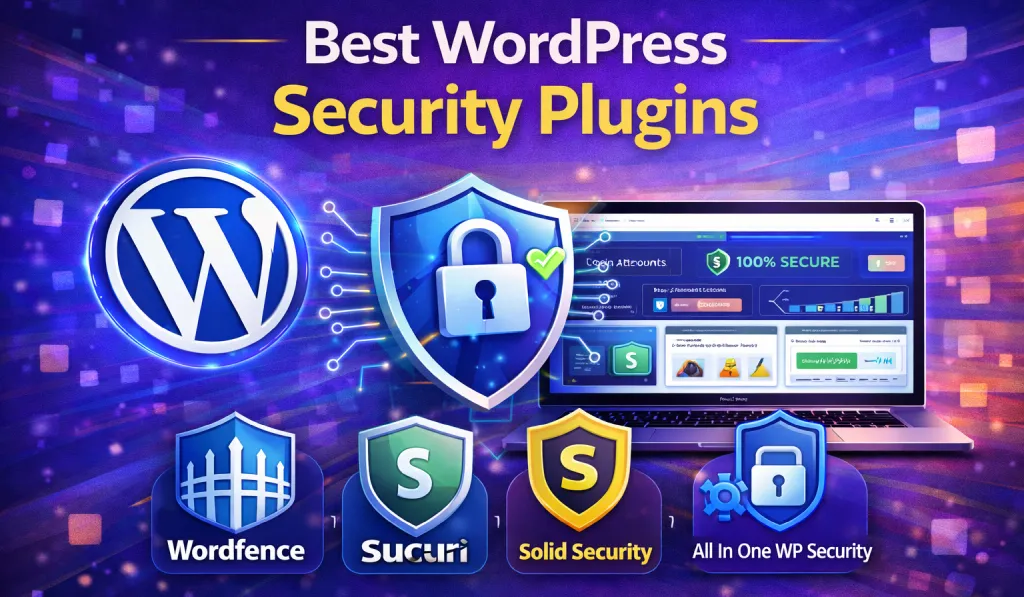
That’s Why Installing One Of The Best WordPress Security Plugins Is One Of The Smartest Steps You Can Take As A Website Owner.
A Reliable WordPress Protection Plugin Helps Defend Your Site Against Malware, Brute-force Login Attempts, Spam, Suspicious Activity, And Other Common Security Threats. It Also Provides Monitoring Tools So You Can Quickly Detect And Fix Problems Before They Cause Serious Damage.
In This Guide, We’ll Explore Some Of The Top WordPress Security Plugins For Beginners, Explain How They Work, And Help You Choose The Right One For Your Website.
- 1 Why WordPress Security Matters
- 2 What to Look for in a WordPress Security Plugin
- 3 6 Top WordPress Security Plugins For Beginners
- 4 How to Choose The Right Security Plugin
- 5 Additional WordPress Security Tips
- 6 Should You Use Multiple Security Plugins?
- 7 Final Thoughts
- 8 FAQ – Best WordPress Security Plugins
Why WordPress Security Matters
Many beginners assume hackers only target large or famous websites.
In reality, the opposite is often true.
Most cyber attacks are automated. Bots scan thousands of websites every single day looking for easy targets. If your site has basic vulnerabilities, it can quickly become part of that list.
Some common weaknesses hackers look for include:
- Outdated WordPress installations
- Vulnerable themes or plugins
- Weak admin passwords
- Unprotected login pages
If a hacker successfully breaks into your site, the consequences can be serious.
For example, your website might:
- Go offline unexpectedly
- Get infected with malware
- Lose its Google rankings
- Be flagged or blacklisted by search engines
- Damage your reputation with visitors or customers
A good WordPress malware protection plugin can help prevent many of these issues before they even begin.
What to Look for in a WordPress Security Plugin
Before installing a security plugin, it helps to understand which features actually make a difference.
Here are a few important ones to look for.
Malware Scanning
A strong security plugin should regularly scan your website files and database for malicious code. Early detection makes it much easier to fix problems before they spread.
Firewall Protection
A Web Application Firewall (WAF) acts as a protective barrier. It blocks suspicious traffic before it even reaches your website.
Brute Force Protection
Hackers often attempt thousands of password combinations to break into admin accounts. Security plugins limit login attempts and automatically block suspicious IP addresses.
File Change Monitoring
If someone modifies important WordPress files, the plugin alerts you immediately so you can investigate.
Security Hardening
Many plugins include built-in tools to improve your site’s security settings. This may include disabling file editing, hiding the WordPress version number, or protecting sensitive admin areas.
6 Top WordPress Security Plugins For Beginners
Now let’s look at some of the best WordPress security plugins that can help keep your website safe.
1. Wordfence Security
Wordfence is one of the most widely used security plugins in the WordPress ecosystem.
Millions of website owners rely on it to protect their sites from attacks.
Key Features
- Powerful Web Application Firewall
- Malware scanning and detection
- Real-time threat intelligence
- Two-factor authentication for login security
- Country blocking (premium feature)
Why Beginners Like It
One reason Wordfence is so popular is its easy-to-understand dashboard. You can see blocked attacks, scan results, and security alerts all in one place.
Even the free version offers strong protection, which makes it a great option for bloggers, freelancers, and small business websites.
Real-World Example
If someone tries repeatedly to guess your login password, Wordfence automatically blocks their IP address after several failed attempts.

Download Wordfence Plugin From GiTCLAB
(License-Activated)
✔ Latest Version Available ✔ Regular Updates
✔ 100% GPL Licensed (Not Nulled) ✔ Instant Download
Download Wordfence Plugin Now2. Sucuri Security
Sucuri is another well-known WordPress protection plugin trusted by many professional websites.
It focuses on both prevention and recovery.
Key Features
- Malware scanning
- Cloud-based website firewall
- Security activity logging
- File integrity monitoring
- Post-hack recovery tools
Why It’s Popular
Sucuri’s firewall operates at the DNS level. This means malicious traffic gets blocked before it even reaches your hosting server.
Besides improving security, this approach can also make your website load faster.
Best For
- Business websites
- eCommerce stores
- High-traffic blogs
3. iThemes Security
Previously known as Better WP Security, iThemes Security offers more than 30 different features designed to protect WordPress websites.
Key Features
- Brute force protection
- File change detection
- Two-factor authentication
- Database backups
- Security hardening options
Beginner Friendly
One feature beginners love is the built-in security check. With just a few clicks, the plugin automatically applies recommended security settings.
Practical Tip
If you manage multiple websites, iThemes Security Pro makes it easier to monitor and control security across all of them.

Download iThemes Security From GiTCLAB
(License-Activated)
✔ Latest Version Available ✔ Regular Updates
✔ 100% GPL Licensed (Not Nulled) ✔ Instant Download
Download iThemes Security Plugin Now4. All In One WP Security & Firewall
If you’re searching for a powerful free WordPress protection plugin, this is definitely worth considering.
Despite being free, it offers a wide range of security features.
Key Features
- Login lockdown protection
- Firewall rules
- Database protection
- File integrity monitoring
- Spam prevention tools
Security Strength Meter
One interesting feature is the plugin’s security strength grading system.
It evaluates your website’s current security setup and gives you a score, making it easier for beginners to understand what needs improvement.
5. MalCare Security
MalCare is a powerful WordPress malware protection plugin known for its fast and accurate scanning.
Unlike many plugins that use your hosting resources for scanning, MalCare performs scans on its own servers.
Key Features
- Deep malware scanning
- One-click malware removal
- Cloud-based firewall
- Login protection
- Backup integration
Why It Stands Out
MalCare can detect complex malware infections that many other plugins miss. This makes it particularly useful for developers and agencies managing multiple websites.
6. Solid Security (Formerly iThemes Security)
Solid Security is the modern version of iThemes Security, offering even more advanced protection tools.
Key Features
- Two-factor authentication
- Strong password enforcement
- Login page protection
- File change monitoring
- Vulnerability scanning
Best For
- Freelancers managing client websites
- WordPress agencies
- Membership websites
How to Choose The Right Security Plugin
Not every website needs the same level of protection.
Here’s a quick guide to help you decide.
For Beginners
Start with simple and reliable options like:
- Wordfence
- All In One WP Security
These plugins provide strong protection without complicated setup.
For Business Websites
If your website handles customers or payments, consider:
- Sucuri
- MalCare
Both offer advanced firewall protection and stronger monitoring tools.
For Developers or Agencies
If you manage multiple websites, tools like:
- Solid Security
- MalCare
provide better control and centralized monitoring.
Additional WordPress Security Tips
Even the best WordPress security plugins can’t protect your website if basic security practices are ignored.
Here are some essential habits every website owner should follow.
Keep Everything Updated
Always update:
- WordPress core
- Plugins
- Themes
Updates often include important security fixes.
Use Strong Passwords
Avoid common passwords such as:
- admin123
- password
- 123456
Using a password manager can make strong password management much easier.
Avoid the Default “Admin” Username
Many hackers attempt attacks using the username admin.
Using a custom administrator username adds an extra layer of protection.
Download Themes and Plugins from Trusted Sources
Avoid suspicious websites offering free or modified themes.
Instead, use trusted sources like:
- The WordPress.org repository
- Official developer websites
Should You Use Multiple Security Plugins?
Some beginners install multiple WordPress protection plugins thinking it will increase security.
In reality, this often causes problems.
Security plugins may conflict with each other and slow down your website.
A better approach is to choose one reliable plugin and configure it properly.
Final Thoughts
Website security is something every WordPress user should take seriously. Even a small blog can become a target if it lacks proper protection.
Installing one of the best WordPress security plugins is one of the easiest ways to defend your site against hackers, malware, and suspicious traffic.
Plugins like Wordfence, Sucuri, MalCare, and All In One WP Security provide powerful tools to monitor your website, detect threats, and block attacks before they cause damage.
Combine these tools with good security habits—such as regular updates, strong passwords, and trusted plugins—and your WordPress website will be significantly safer.
Think of website security like insurance. You may never need it, but if something goes wrong, you’ll be very glad you have it.
FAQ – Best WordPress Security Plugins
1. What is the best WordPress security plugin?
Wordfence and Sucuri are widely considered among the best options. They provide firewall protection, malware scanning, and strong login security features.
2. Do I really need a security plugin for WordPress?
Yes. A WordPress protection plugin helps protect your site from malware, brute-force attacks, and suspicious activity.
3. Are free WordPress security plugins good enough?
Many free plugins like Wordfence and All In One WP Security provide strong protection. However, premium versions usually include advanced firewall rules and real-time threat monitoring.
4. Can a security plugin remove malware?
Yes. Some plugins, such as MalCare and Sucuri, can detect and remove malware. Regular scanning helps identify threats before they become serious.
5. Does a security plugin slow down WordPress?
Most modern security plugins are optimized for performance. Some tools, like Sucuri’s cloud firewall, can even improve site speed by blocking harmful traffic early.
6. How often should I scan my WordPress website?
Daily scanning is recommended. Many security plugins automatically run scheduled scans to detect vulnerabilities and malware.