If You Have A WordPress Website, You’ll Come To The Same Conclusion Pretty Fast: SEO Is Not Optional. No Matter How Great Your Content Is, If Search Engines Are Unable To Accurately Comprehend Or Index It, It Will Be Seen By Very Few People.
This Is Where SEO Plugin Gets To Work.
The Biggest Strength Of WordPress, Is Its Vast Array Of Different Plugins. With The Right SEO Plugin, You Can Improve Your Website’s Optimization, Boost Your Search Rankings, And Increase Organic Traffic — All Without Expert Knowledge.
Whether You Are A Blogger, Freelancer, Developer Or A Business Owner, If You Use The Right Plugin For SEO, It Can Make Your Work Easier.
In This Tutorial, We’ll Take A Look At The Best SEO Plugins For WordPress In 2026, How They Work, And Which Plugin You Should Select To Get The Most Out Of Your Website.
- 1 Why SEO Plugins Are Essential For WordPress
- 2 5 Best SEO Plugins For WordPress in 2026
- 3 Quick Comparison of the Top SEO Plugins
- 4 Free vs Premium SEO Plugins
- 5 What Are GPL SEO Plugins?
- 6 Tips to Get the Most Out of SEO Plugins
- 7 How to Install an SEO Plugin in WordPress
- 8 Final Thoughts
- 9 FAQ – Best SEO Plugins For WordPress
Why SEO Plugins Are Essential For WordPress
WordPress Is Naturally Quite SEO-friendly. It Already Has A Strong Foundation From Its Clean Code Structure, Customizable Permalinks, And Blogging Features.
But The Default WordPress Setup Lacks Several Advanced SEO Tools.
You Don’t, For Instance, Get Features Such As:
- Meta Title And Description Editing
- XML Sitemap Generation
- Schema markup management
- Content optimization analysis
- Technical SEO Tools
This Is Where The SEO Plugins Come In Very Useful.
A good plugin can help you:
- Optimize titles and meta descriptions
- Generate XML sitemaps automatically
- Improve on-page SEO
- Add structured data (schema)
- Analyze keywords and readability
- Fix technical SEO issues
The Plugin Does Most Of The Heavy Lifting So You Don’t Have To Handle Dozens Of SEO Tasks Manually.
5 Best SEO Plugins For WordPress in 2026
Let’s take a look at some of the most popular and reliable SEO plugins used by WordPress professionals today.
1. Yoast SEO
Yoast SEO has been one of the most widely used WordPress SEO plugins for more than a decade. Many bloggers start their SEO journey with Yoast because it’s simple to understand yet powerful enough for serious optimization.
The plugin provides real-time feedback while you write content, helping you improve both SEO and readability.
Key Features
- Real-time SEO analysis
- Readability checker
- XML sitemap generator
- Meta title and description editor
- Schema markup support
- Social media preview tools
One feature beginners especially love is the traffic light system. It uses green, orange, and red indicators to show how well your content is optimized.
If something needs improvement—like keyword usage or sentence length—Yoast tells you immediately.
Best For
- Beginners
- Bloggers
- Content-heavy websites
Practical Tip
When writing a blog post, Yoast helps you optimize things like:
- Keyword placement
- Heading structure
- Meta description length
- Internal links
It’s a helpful guide while you’re creating content, especially if you’re still learning SEO.

Download Yoast SEO Plugin From GiTCLAB
(License-Activated)
✔ Latest Version Available ✔ Regular Updates
✔ 100% GPL Licensed (Not Nulled) ✔ Instant Download
Download Yoast SEO Plugin Now2. Rank Math SEO
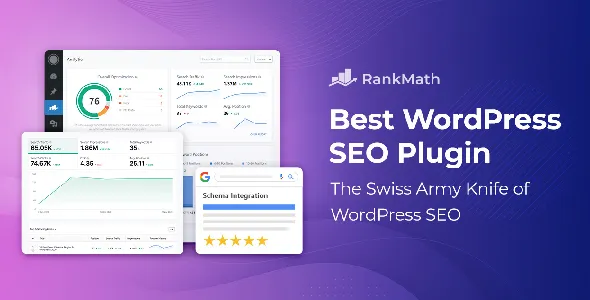
Over the past few years, Rank Math has grown incredibly fast and is now considered one of the most powerful SEO plugins available for WordPress.
Many developers and experienced website owners prefer it because it combines features that would normally require several different plugins.
Key Features
- Built-in schema generator
- Advanced keyword optimization
- Google Search Console integration
- 404 error monitoring
- Redirection manager
- Local SEO tools
What makes Rank Math particularly attractive is its generous free version. Many features that competitors lock behind premium plans are available for free here.
Why Users Love Rank Math
- Lightweight and fast
- Simple setup wizard
- Supports multiple focus keywords
- Packed with advanced features
Real-World Example
If you run an affiliate blog or content website, Rank Math can help you:
- Track keyword performance
- Improve internal linking
- Monitor SEO errors
- Optimize posts more efficiently
For many modern WordPress users, Rank Math has become the go-to SEO plugin.
Download Rank Math Plugin From GiTCLAB
(License-Activated)
✔ Latest Version Available ✔ Regular Updates
✔ 100% GPL Licensed (Not Nulled) ✔ Instant Download
Download Rank Math Plugin Now3. All in One SEO (AIOSEO)
All in One SEO—often called AIOSEO—is another well-established SEO plugin trusted by millions of websites.
It strikes a nice balance between simplicity and powerful features, which makes it a great option for beginners and business websites.
Key Features
- Smart meta tag generator
- XML sitemap tools
- WooCommerce SEO optimization
- Built-in schema markup
- SEO audit checklist
- Robots.txt editor
The interface is clean and easy to navigate, so even new WordPress users can quickly understand how everything works.
Best For
- Business websites
- Online stores
- Beginners who want simple SEO tools
Example Use Case
If you run an eCommerce store with WooCommerce, AIOSEO helps optimize:
- Product pages
- Product schema markup
- Category pages
This can significantly improve how your products appear in Google search results.

Download All in One SEO From GiTCLAB
(License-Activated)
✔ Latest Version Available ✔ Regular Updates
✔ 100% GPL Licensed (Not Nulled) ✔ Instant Download
Download All in One SEO Plugin Now4. SEOPress
SEOPress is a powerful yet lightweight SEO plugin that focuses on flexibility and performance.
Unlike some other plugins, it keeps the interface clean and avoids unnecessary ads or distractions.
That’s one reason why many developers prefer it.
Key Features
- XML and HTML sitemap support
- Content analysis tools
- Google Analytics integration
- Redirection manager
- Structured data (schema) support
Why Developers Like SEOPress
- Clean and simple interface
- No intrusive ads
- Affordable pricing
- Developer-friendly features
Best For
- Agencies
- Developers
- Advanced WordPress users
If you prefer a clutter-free dashboard with solid SEO functionality, SEOPress is definitely worth considering.

Download SEOPress Plugin From GiTCLAB
(License-Activated)
✔ Latest Version Available ✔ Regular Updates
✔ 100% GPL Licensed (Not Nulled) ✔ Instant Download
Download SEOPress Plugin Now5. The SEO Framework
The SEO Framework takes a slightly different approach compared to other plugins.
Instead of overwhelming users with dozens of settings, it focuses on automation and performance.
The plugin quietly handles many SEO tasks in the background, which makes it perfect for users who prefer a minimalist setup.
Key Features
- Automatic SEO optimization
- Extremely lightweight
- Spam-free interface
- Built-in schema support
- Privacy-focused analytics
Best For
- Minimalist websites
- Speed-focused websites
- Developers who prefer automation
If website speed and simplicity are your top priorities, this plugin is an excellent option.
Quick Comparison of the Top SEO Plugins
Here’s a simplified overview to help you choose the right plugin.
| Plugin | Best For | Difficulty | Standout Feature |
|---|---|---|---|
| Yoast SEO | Beginners & bloggers | Easy | Content analysis |
| Rank Math | Advanced users | Medium | Powerful built-in tools |
| All in One SEO | Businesses | Easy | WooCommerce SEO |
| SEOPress | Developers | Medium | Clean interface |
| SEO Framework | Speed-focused sites | Easy | Automated SEO |
Free vs Premium SEO Plugins
Most WordPress SEO plugins come with both free and premium versions.
The free versions usually include the essentials:
- Basic SEO settings
- XML sitemaps
- Meta title and description editing
- Basic content optimization
Premium versions typically add:
- Advanced schema markup
- Multiple keyword optimization
- Internal linking suggestions
- WooCommerce SEO features
- Detailed SEO analytics
For beginners, the free versions are usually more than enough to get started.
What Are GPL SEO Plugins?
You may have seen websites offering GPL versions of premium SEO plugins.
GPL stands for General Public License, which allows WordPress software to be legally modified and redistributed.
This means themes and plugins can technically be shared.
However, there are a few things you should keep in mind.
Advantages
- Lower cost
- Access to premium features
- Good for testing plugins
Potential Risks
- No official support
- Possible security risks from untrusted sources
- No automatic updates
Practical Advice:
If you’re running a serious business website, it’s usually safer to purchase plugins directly from the official developer.
Tips to Get the Most Out of SEO Plugins
Even the best SEO plugin won’t magically rank your website.
Think of it as a tool—not a shortcut.
Here are a few practical tips that actually make a difference.
1. Focus on Content Quality
Search engines reward content that genuinely helps readers.
Instead of writing for algorithms, focus on answering real questions and solving real problems.
2. Target One Primary Keyword
Each article should focus on one main keyword along with a few related phrases.
Trying to rank for too many keywords often weakens your SEO.
3. Improve Internal Linking
Linking related posts together helps:
- Search engines crawl your website
- Users discover more content
- Increase time spent on your site
4. Optimize Website Speed
Page speed is a major ranking factor in 2026.
You can improve speed by using:
- Caching plugins
- Image optimization tools
- Fast web hosting
5. Use SEO-Friendly Themes
Your theme also affects SEO performance.
Some well-optimized options include:
- Astra
- GeneratePress
- Kadence
These themes are lightweight and built with performance in mind.
How to Install an SEO Plugin in WordPress
Installing an SEO plugin is quick and easy.
Just follow these steps:
- Open your WordPress Dashboard
- Click Plugins → Add New
- Search for the plugin you want
- Click Install Now
- Click Activate
Once activated, most plugins will guide you through a setup wizard to configure the basic SEO settings.
Final Thoughts
Choosing the best SEO plugin for WordPress in 2026 can make managing your website’s SEO much easier.
If you’re just starting out, Yoast SEO or All in One SEO are excellent beginner-friendly options.
If you want more advanced tools and flexibility, Rank Math is one of the most powerful plugins available today.
And if speed and simplicity matter most to you, SEOPress or The SEO Framework are excellent alternatives.
Just remember—SEO plugins are only tools.
Real SEO success comes from:
- High-quality content
- Smart keyword research
- Strong internal linking
- Consistent optimization
Use the right plugin, follow solid SEO practices, and your WordPress website will have a much better chance of ranking in search results.
FAQ – Best SEO Plugins For WordPress
1. What is the best SEO plugin for WordPress in 2026?
Rank Math and Yoast SEO are currently two of the most popular and powerful SEO plugins used by WordPress websites.
2. Are SEO plugins necessary for WordPress?
Yes. SEO plugins help manage meta tags, sitemaps, schema markup, and other technical SEO elements that WordPress doesn’t handle by default.
3. Can I use multiple SEO plugins together?
No. Using multiple SEO plugins can create conflicts and duplicate meta tags. It’s best to use only one SEO plugin.
4. Are SEO plugins free?
Most SEO plugins offer a free version with basic features and a premium version that includes advanced tools.
5. Do SEO plugins guarantee Google rankings?
No. SEO plugins help optimize your site, but rankings depend on factors like content quality, backlinks, and overall SEO strategy.