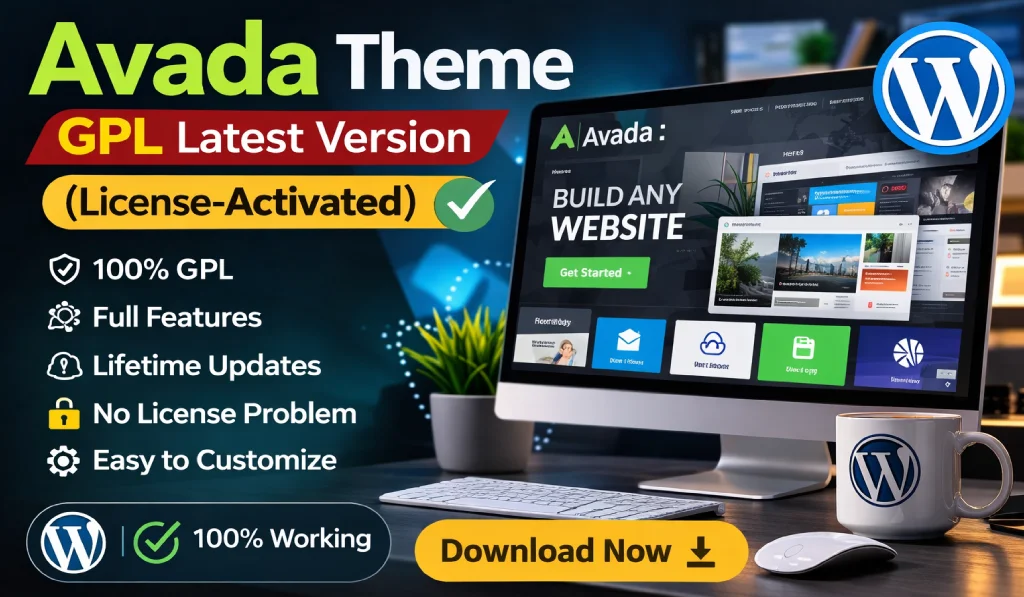
If you’ve spent even a short time exploring WordPress themes, chances are you’ve come across Avada. It’s one of the most popular premium WordPress themes ever created and powers thousands of websites across the internet.
Because of its popularity, many beginners often search for terms like Avada Theme GPL, Avada Theme Free Download, or even Avada Theme Nulled. Most people simply want to try the theme before investing money in it.
But this raises a few important questions. What exactly does Avada Theme GPL mean? Is it safe to use? And is it actually a good option for your website?
In this guide, we’ll break everything down in simple terms. By the end, you’ll clearly understand how the Avada Theme GPL latest version works, what features it offers, and whether it’s the right choice for your WordPress site.
- 1 What is Avada Theme?
- 2 What is Avada Theme GPL?
- 3 Key Features of the Avada Theme Latest Version
- 4 Avada Theme Free Download – Should You Use It?
- 5 Avada Theme Nulled – Is It Safe?
- 6 Who Should Use the Avada Theme?
- 7 Practical Tips for Using Avada
- 8 Real-World Examples of Avada in Action
- 9 Conclusion
- 10 FAQ
What is Avada Theme?
Avada is a premium multipurpose WordPress theme developed by ThemeFusion. Over the years, it has become one of the best-selling themes on ThemeForest, with hundreds of thousands of active users worldwide.
The main idea behind Avada is simple: it allows you to build almost any type of website without writing code.
For example, you can use Avada to create:
- Business websites
- Personal or professional blogs
- eCommerce stores
- Portfolio websites
- Agency websites
- Landing pages
What really makes Avada stand out is its built-in page builder called Fusion Builder (now known as the Avada Builder). Instead of dealing with complicated code, you can design your pages visually by dragging and dropping elements where you want them.
For beginners, this is a huge advantage. Even if you’ve never built a website before, you can still create something professional.
What is Avada Theme GPL?
Before understanding Avada Theme GPL, it’s important to know what GPL actually means.
GPL stands for General Public License. WordPress itself is released under this license, which allows developers and users to freely use, modify, and share the software.
Because WordPress themes and plugins are built on top of WordPress, many parts of their code also fall under the GPL license.
In simple terms, GPL allows you to:
- Use the software freely
- Modify the code
- Share the software with others
- Install it on multiple websites
So when you see the term Avada Theme GPL, it usually refers to a version of the theme that is redistributed under GPL rules.
However, there’s an important catch.
GPL versions normally do not include official developer support, automatic updates, or license validation from the original developer. That’s why many users still prefer buying the official version directly.
Key Features of the Avada Theme Latest Version
The latest version of Avada comes packed with powerful tools that make website creation much easier. Let’s look at some of the most useful features.
1. Drag-and-Drop Page Builder
One of Avada’s biggest strengths is its visual page builder.
Instead of manually writing HTML or CSS, you can simply drag and drop different elements onto your page.
These elements include things like:
- Images
- Buttons
- Columns
- Sliders
- Testimonials
- Contact forms
For beginners, this feature alone can save hours of work. You get full control over the layout without needing technical skills.
2. Pre-Built Demo Websites
Another reason why Avada is so popular is its large collection of ready-made demo websites.
The theme includes more than 90 professionally designed demos that you can import with just one click. After importing, you can simply replace the content with your own text, images, and branding.
Some common demo categories include:
- Business websites
- Restaurant websites
- Online stores
- Fitness and gym websites
- Digital agency websites
If you’re building websites for clients, this feature can dramatically speed up your workflow.
3. Powerful Theme Options Panel
Avada also includes an advanced Theme Options panel that gives you full control over your website’s appearance.
From a single dashboard, you can customize things like:
- Website colors
- Fonts and typography
- Layout styles
- Headers and footers
- Blog layouts
The best part? You can do all of this without touching a single line of code.
4. WooCommerce Integration
If you’re planning to build an online store, Avada works seamlessly with WooCommerce, the most popular eCommerce plugin for WordPress.
With WooCommerce integration, you can sell:
- Physical products
- Digital downloads
- Online services
- Subscriptions
You can also customize product pages using Avada’s builder, which gives you much more design flexibility compared to standard WooCommerce layouts.
5. Fully Responsive Design
Today, people browse websites on many different devices — desktops, tablets, and smartphones.
Avada is designed to be fully responsive, meaning your website automatically adapts to different screen sizes.
This not only improves user experience but also helps with Google rankings, since mobile-friendly websites perform better in search results.
6. SEO-Friendly Structure
Another strong point of Avada is its clean and optimized code structure.
A well-structured theme makes it easier for search engines like Google to crawl and understand your website. This can have a positive impact on your SEO performance.
Avada also works perfectly with popular SEO plugins such as:
- Yoast SEO
- Rank Math
- All in One SEO
Using these tools alongside Avada can help improve your website’s visibility in search engines.
Avada Theme Free Download – Should You Use It?
Many people search for Avada Theme Free Download because they want to save money. That’s understandable, especially if you’re just starting a blog or learning WordPress.
However, downloading premium themes from random websites can be risky.
Some free downloads may contain:
- Malware
- Hidden scripts
- Spam links
- Backdoors that allow hackers access
These issues can damage your website, slow it down, or even cause it to be blacklisted by Google.
If you want to test Avada safely, there are better options.
For example:
- Buy the theme from ThemeForest
- Use a trusted GPL provider Like GiTCLAB,GPLCARE,GPLCLICK
- Test the theme on a local environment
Tools like LocalWP, XAMPP, or Laragon allow you to experiment with themes without affecting your live website.

Download Avada Theme GPL From GiTCLAB
(License-Activated)
✔ Latest Version Available ✔ Regular Updates
✔ 100% GPL Licensed (Not Nulled) ✔ Instant Download
Download Avada Theme NowAvada Theme Nulled – Is It Safe?
You may also see the term Avada Theme Nulled online.
A nulled theme is basically a modified version of a premium theme where the license verification system has been removed.
At first glance, this might seem like a convenient way to get the theme for free. But in reality, it often comes with serious risks.
Common Problems with Nulled Themes
Using nulled themes can lead to several issues, such as:
- Security vulnerabilities
- Malware infections
- Lack of updates
- No developer support
- Potential legal concerns
For personal testing, some people may experiment with these versions. But for real websites or business projects, it’s generally not worth the risk.
A compromised theme can easily lead to a hacked website or lost data.
Who Should Use the Avada Theme?
One of the reasons Avada has remained popular for so many years is its flexibility. It works well for many types of users.
Beginners
If you’re new to WordPress, Avada’s visual builder makes the learning process much easier. You can create attractive pages without needing programming knowledge.
Freelancers
Freelancers often use Avada to quickly build websites for clients. The ready-made demos help speed up development and reduce design time.
Bloggers
Bloggers can use Avada to create clean and professional blog layouts with customizable design options.
Online Business Owners
If you want to launch an online store or service website, Avada combined with WooCommerce provides a powerful and flexible solution.
Practical Tips for Using Avada
To get the best performance from Avada, it’s helpful to follow a few simple best practices.
1. Keep Plugins Minimal
Installing too many plugins can slow down your website.
Instead, focus on essential tools such as:
- Rank Math SEO
- WP Rocket
- UpdraftPlus Backup
Choose quality plugins rather than installing dozens of them.
2. Optimize Website Speed
Avada is powerful, but like many feature-rich themes, it can become heavy if not optimized.
You can improve performance by:
- Using a caching plugin
- Compressing images
- Using a CDN like Cloudflare
These small optimizations can make a big difference in loading speed.
3. Choose Reliable Hosting
Your hosting provider plays a major role in your website’s performance.
Good hosting can improve speed, security, and uptime.
Some reliable options include:
- SiteGround
- Cloudways
- Hostinger
- DigitalOcean
Faster hosting also improves SEO and user experience.
Real-World Examples of Avada in Action
Avada is used for many different types of websites. Here are a few common examples.
Agency Website
A digital marketing agency can import an Avada demo and launch a professional site within hours instead of weeks.
Online Store
By combining WooCommerce with Avada, you can create a fully customized online store with unique product layouts.
Personal Portfolio
Designers, photographers, and developers often use Avada to showcase their work through clean and visually appealing portfolio pages.
Conclusion
The Avada Theme GPL latest version is a powerful option for building modern WordPress websites.
It offers a wide range of features, including:
- Visual drag-and-drop page building
- Professionally designed demo templates
- WooCommerce compatibility
- Advanced customization options
However, downloading Avada Theme Free Download or Avada Theme Nulled versions from unknown sources can be risky.
To keep your website secure and stable, it’s always best to:
- Use trusted sources
- Keep your themes updated
- Avoid suspicious downloads
Whether you’re a beginner, freelancer, blogger, or business owner, Avada remains one of the most flexible and widely used WordPress themes available today.
FAQ
1. What is Avada Theme GPL?
Avada Theme GPL refers to a version of the Avada theme distributed under the General Public License, which allows users to use, modify, and share the theme code.
2. Is Avada Theme GPL legal?
Yes, GPL distribution is legal because WordPress themes inherit the GPL license. However, GPL versions usually do not include official updates or support from the original developer.
3. Is Avada Theme Nulled safe to use?
No. Nulled themes often contain malware, hidden scripts, or security vulnerabilities that can seriously damage your website.
4. Can beginners use Avada?
Yes. Avada includes a visual page builder and pre-built demo sites, which makes it beginner-friendly even if you have no coding experience.
5. Does Avada support WooCommerce?
Yes. Avada fully supports WooCommerce, allowing you to build powerful and customizable eCommerce websites.